Most charting platforms make you translate what you care about into their language: pick an indicator from a dropdown, set a threshold, choose a comparison operator, hope you configured it right. Market Agent X inverts that. You describe the condition the way you'd say it to a colleague, and MAX translates it into a precise, continuously-checked rule.
"Alert me if TDY closes above 660 on the daily." That's a complete monitor. So is "tell me if there's unusual options activity in TDY." You say it once; MAX watches it until you say stop.
Custom monitors: a real example
Here's what those two TDY monitors look like once they're armed — a price-structure condition and a flow condition, running side by side on the same symbol:
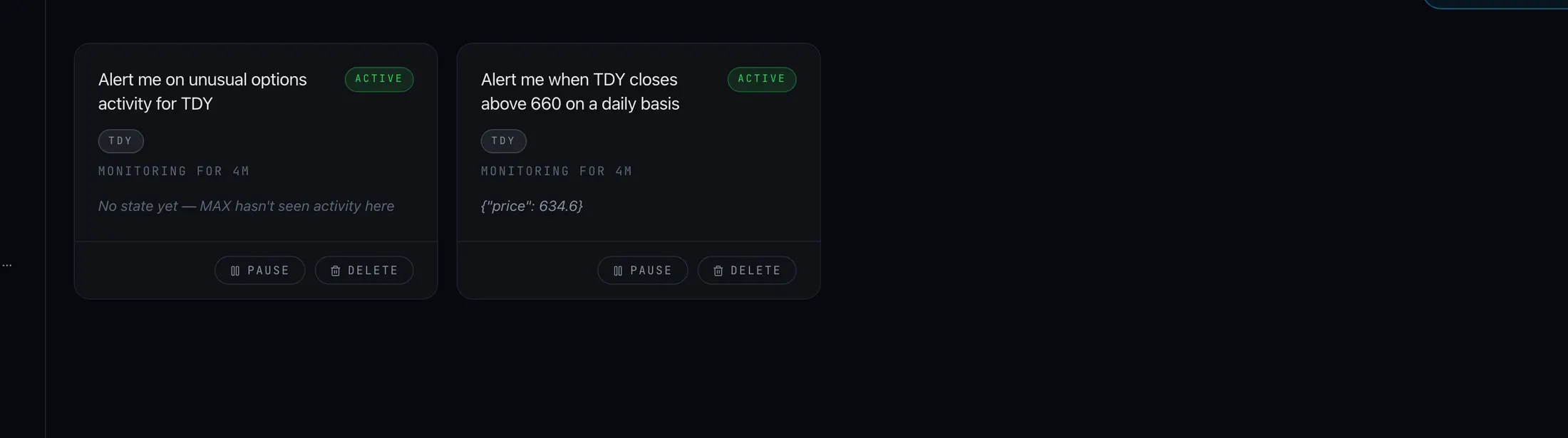
Note what's happening there. The first monitor isn't "price touches 660" — it's a daily close above 660, which is a meaningfully different condition. A wick through a level and a close through a level tell you different things, and because you described the condition in plain English, MAX captured the version you actually meant. The second monitor doesn't reference any price at all — it watches the options tape for activity that stands out against the symbol's own baseline.
Describe the condition
In chat or from the Monitors page: "alert me if TDY closes above 660," "ping me on unusual options activity in TDY," "tell me if BTC funding goes extreme."
MAX parses and confirms
Your sentence becomes a precise condition — symbol, measurement, threshold, timeframe. You can see exactly what it will check before it goes live.
It watches until it fires
The monitor runs continuously — sessions you're at the screen for and sessions you aren't. When the condition is true, you get an alert with context, not just a buzzer.
Built-in scanners
Custom monitors watch your conditions. Scanners are the built-in complement: pre-built watchers that scan whole markets for recurring situations worth knowing about — so you get coverage of the broad tape without writing a rule for every possibility yourself.
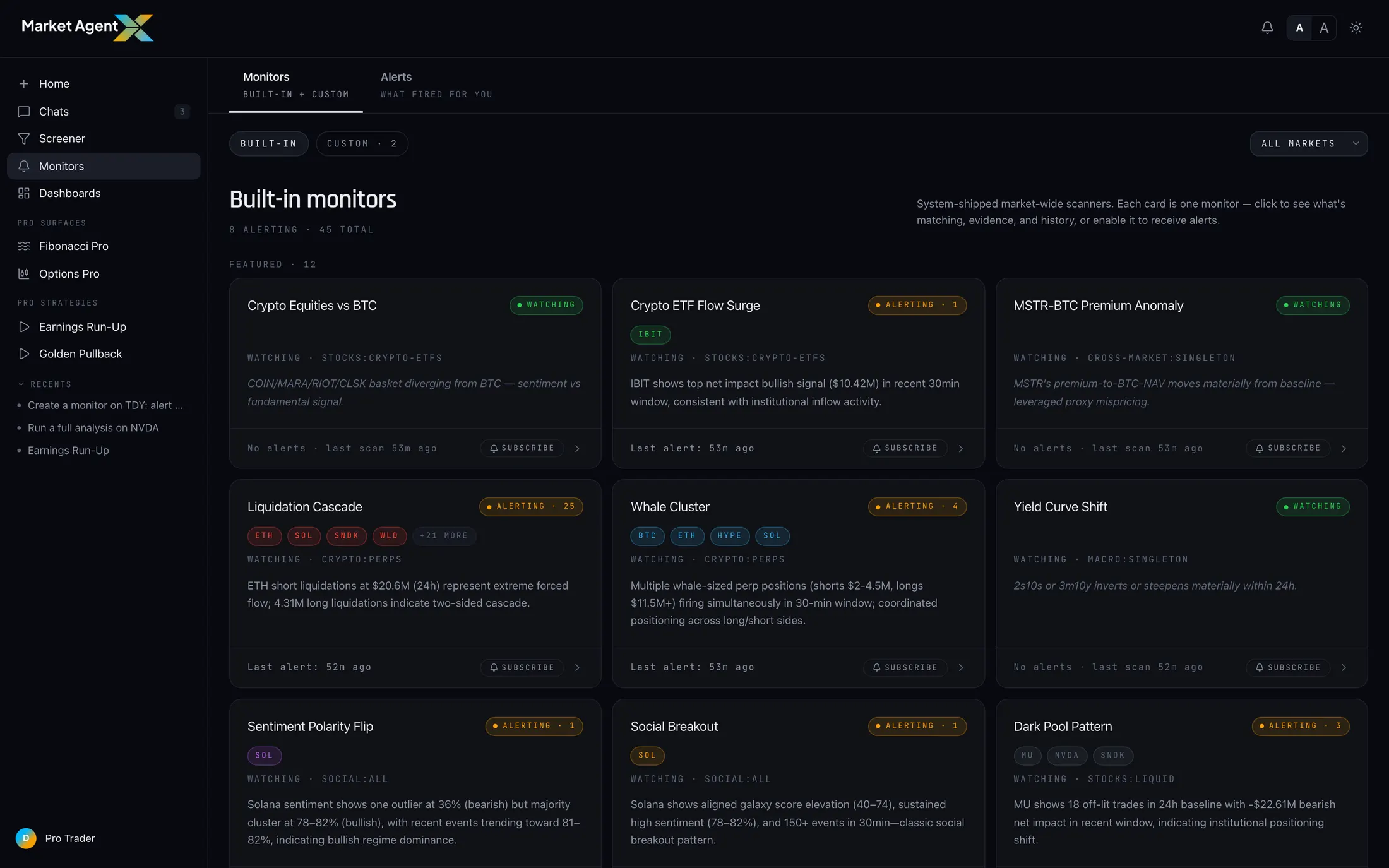
Each scanner card shows what it watches and whether it's currently alerting. Turn on the ones that match how you research and ignore the rest — a futures trader and an options trader will run very different mixes.
A monitor is yours: one condition, usually one symbol, written in your words. A scanner is built-in: a market-wide watcher for a recurring situation. Monitors answer "tell me when my thing happens." Scanners answer "tell me when anything of this kind happens."
The alerts hub
Everything lands in one place. The Monitors page has two tabs: Monitors, where your custom conditions and the scanner grid live, and Alerts, the feed of everything that has fired. Each alert carries a plain-language headline of what happened and the data behind it, so you can judge in seconds whether it deserves your attention — and unread alerts are flagged, so catching up after a few hours away is a scan, not an archaeology dig.
Why persistent monitoring beats staring at charts
There's a hidden cost to watching a chart wait for a level: it's not just the hours, it's what the hours do to your judgment. Stare at TDY long enough waiting for 660 and you'll start seeing reasons to act at 655. The screen time itself generates pressure to do something.
The deeper point: a monitor is a decision you made once, under no pressure, written down and enforced. When it fires, you're not reacting to a flicker on a chart — you're responding to the exact condition you decided mattered. That separation between defining the moment and living the moment is worth more than any indicator.
Say it once. MAX keeps the watch.
Plain-English monitors, built-in scanners, and one hub for every alert. Start your trial and arm your first condition.
Start 7-Day Trial →